PockFlex: Tutorial Demonstration
A sequential, read-only demonstration of the full workflow with animated GIFs.
Step 1 / 5
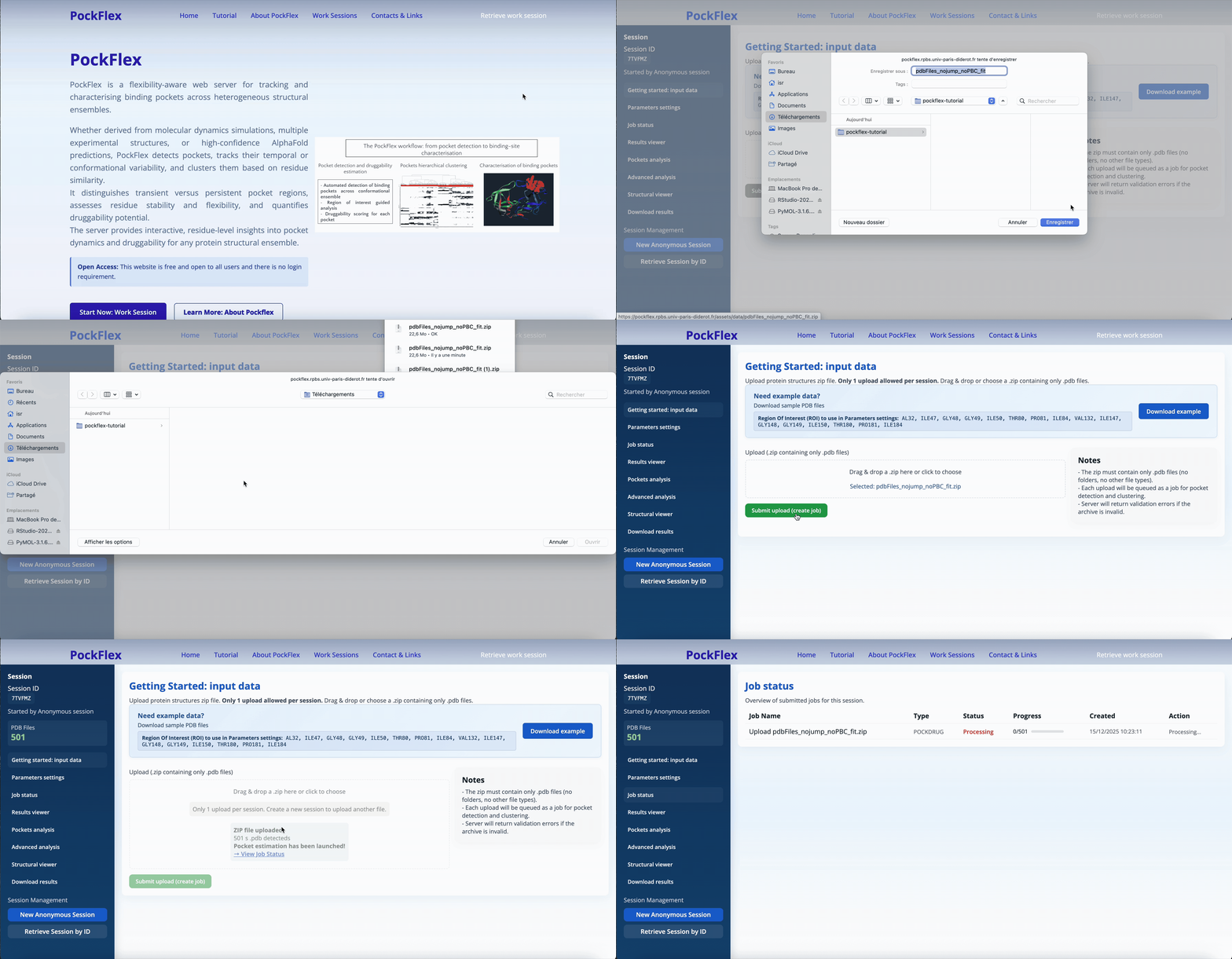
Step 1: Work Session & Data Upload
Create a new work session, download example data, and upload your PDB files.
Step 2: Parameters Settings
Configure clustering parameters: number of clusters, region of interest (ROI), and residue display frequency.
Step 3: Results Viewer
Explore interactive visualisations: druggability histograms, global heatmap, and cluster-specific analysis. Check the About PockFlex page for detailed figure descriptions and interpretations.
Step 4: Pocket, Residue Analysis & 3D Visualisation
Explore details about the pockets, the key residues, and 3D structural visualisation of pockets and proteins.
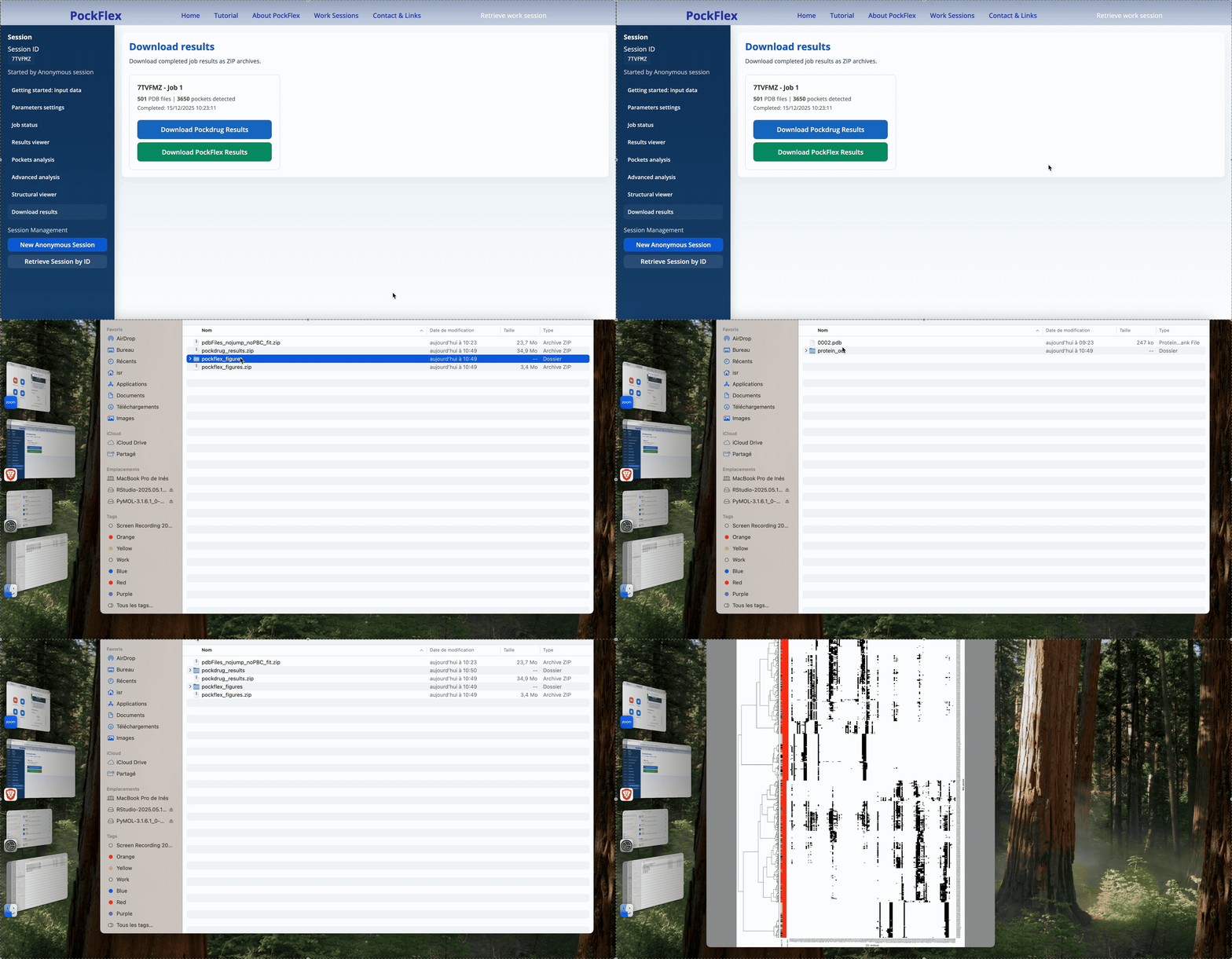
Step 5:Download & Export Results
Download PockDrug pocket files and PockFlex visualisation figures for offline analysis.